Recent Questions Web Design Template Treeview And Tab
Q: Do you have a few examples of how to create clickable links for html popup?
A: You can find such example here:
http://deluxepopupwindow.com/javascript-close-popup-safari.html
See how you should write your link:
<a class=sampleLink title="Click to open sample" href="javascript:;"
onClick="deluxePopupWindow.open('safari', 'New Popup window', '#2: Popup window',
width=250,height=50,resizable,minimizable,fullscreen,centerscreen,middle,right,,fade-effect,
opacity=0.95,floatable=no', 'windows_safari')">Click here to open</a>Q: I am attempting to install a menu I've created into FrontPage2003.
I read what the web site says but it didn't seem to work. Any other suggestions?
A: JavaScript Tree Menu wasn't developed as Dreamweaver/Frontpage extension,BUT you can use it as standard Javascript files. To install the menuinto your html page:
1. open the page in your program
2. open html source code of the page
3. add several rows of code (<script> tags), For info see: http://deluxe-menu.com/installation-info.html
That's all.
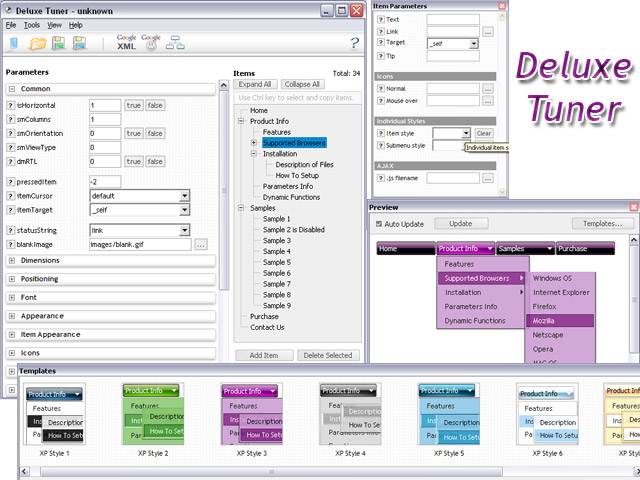
To create and configure your menus use Deluxe Tuner application
(included into the trial package): http://deluxe-menu.com/deluxe-tuner-info.html
Q: Hi There. I wanted to use your product, but couldn’t figure out how multiple users could get varying menus using the file driven approach.
I currently use a java menu that I build on the fly without any files.
The only thing I could come up with was having each user refer to his/her own data.js file, that I can build on demand.
Does that make sense to you?
A: JavaScript Tree Menu is Javascript code only. It requires several .js files andit's generated on a client side.
Theoretically it is possible to have varying menus for multiple users.You should create your own server-side script (for example, php) thatwill change the menu for your users. The menu doesn't support such afeature.
Q: The nav is currently to the left of a flash animated area.
And when a link in the dropdown menu is hovered upon the box opens
but the flash turns white below the nav box.
A: You should add "opaque" parameter for <object> and <embed> tags.
See, how you should install flash on your pages.
<object classid="clsid:D27CDB6E-AE6D-11cf-96B8-444553540000"
codebase="http://download.macromedia.com/pub/shockwave/cabs/flash/swflash.cab#version=6,0,29,0"
height="150" width="800">
<param name="movie" value="2008 flash.swf">
<param name="quality" value="high">
<param name="wmode" value="opaque">
<embed src="flash_files/2008%2520flash.swf" quality="high" wmode="opaque"
pluginspage="http://www.macromedia.com/go/getflashplayer"
type="application/x-shockwave-flash" height="150" width="800">
</object>
Submenus will overlap flash correctly in that case.